Schedule Instagram posts, carousels and Reels
To schedule Instagram posts with Postuva, connect an Instagram professional (Business or Creator) account, upload a photo, up to 10 carousel images or a Reel video, write the caption (up to 2,200 characters) and pick a time. Postuva publishes it automatically at that minute, with no phone notification to tap.
- Account type
- Instagram Business or Creator
- Caption limit
- 2,200 characters, 30 hashtags
- Formats
- Single photo, carousel (up to 10), Reels
- Publishing
- Automatic, through Instagram's official API
- Price
- Free for 3 channels
Can you schedule posts on Instagram automatically?
Yes, as long as the account is a professional account. Instagram's official API lets approved apps publish photos, carousels and Reels to Business and Creator accounts without anyone opening the app. Personal accounts can't be published to by any third-party tool; switching takes a minute in Instagram's settings (Account type and tools → Switch to professional account) and is free.
Instagram's own app also lets you schedule a post from the Advanced settings screen, up to 75 days ahead. That's fine for the odd post, but it schedules one account at a time and doesn't let you write the same idea for LinkedIn, TikTok or Facebook in the same place. Postuva puts Instagram on the same weekly calendar as every other network you use.
| Instagram app scheduling | Postuva | |
|---|---|---|
| Schedule photos, carousels and Reels | Yes | Yes |
| Plan from a computer | Limited | Yes, any browser |
| Same post to Facebook, TikTok, LinkedIn | No | Yes |
| AI caption written for Instagram | No | Yes |
| Week view of every network | No | Yes |
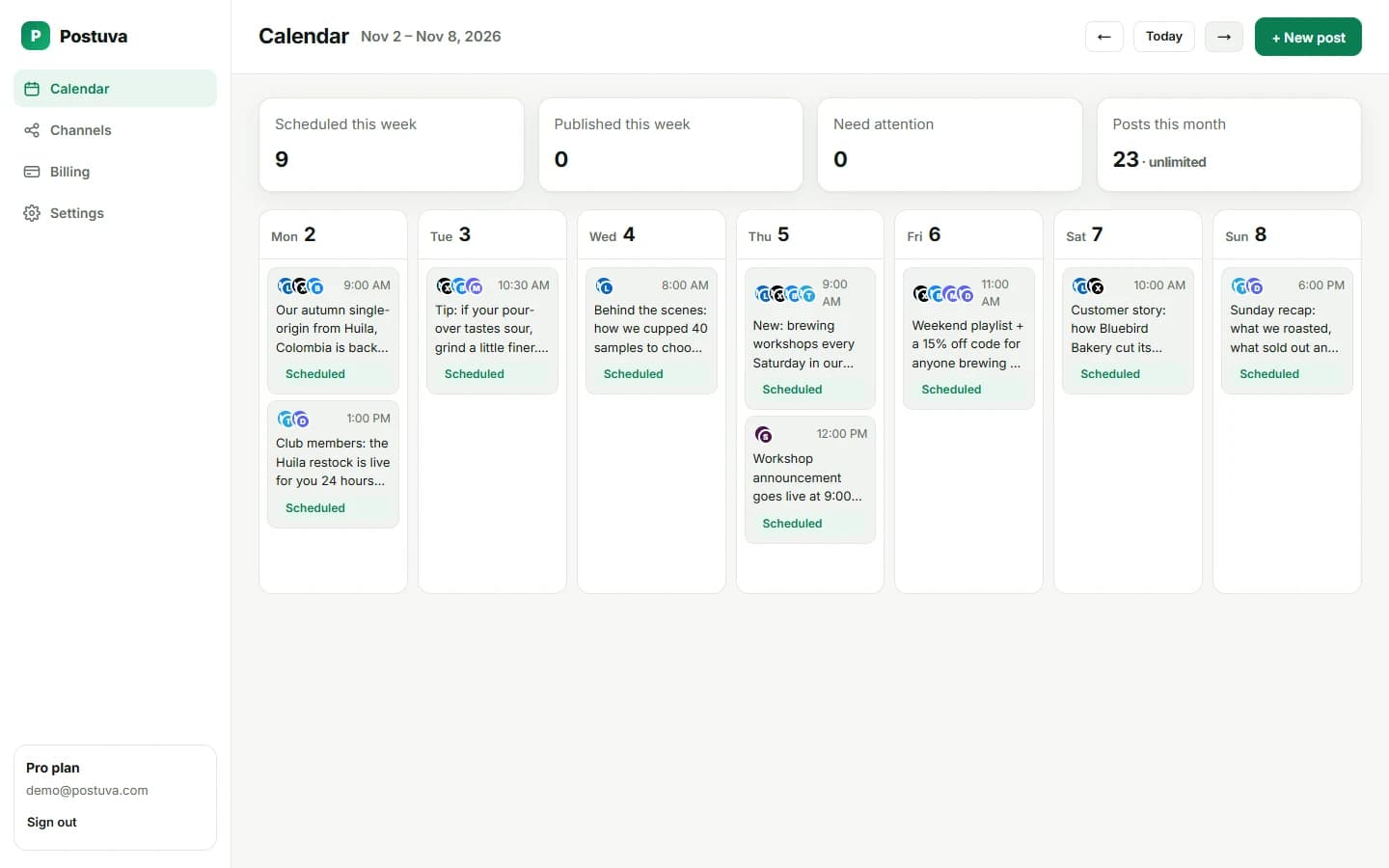
How do I schedule an Instagram post with Postuva?
- Switch to a professional account. In Instagram open Settings → Account type and tools and switch to a Creator or Business account if you haven't already.
- Connect Instagram. In Postuva open Channels and press Connect next to Instagram. Instagram's sign-in opens in a pop-up; approve access and the account appears in your channel list.
- Add your media. Press New post and upload one photo, up to 10 photos for a carousel, or one vertical video for a Reel. Instagram needs at least one image or video in every post.
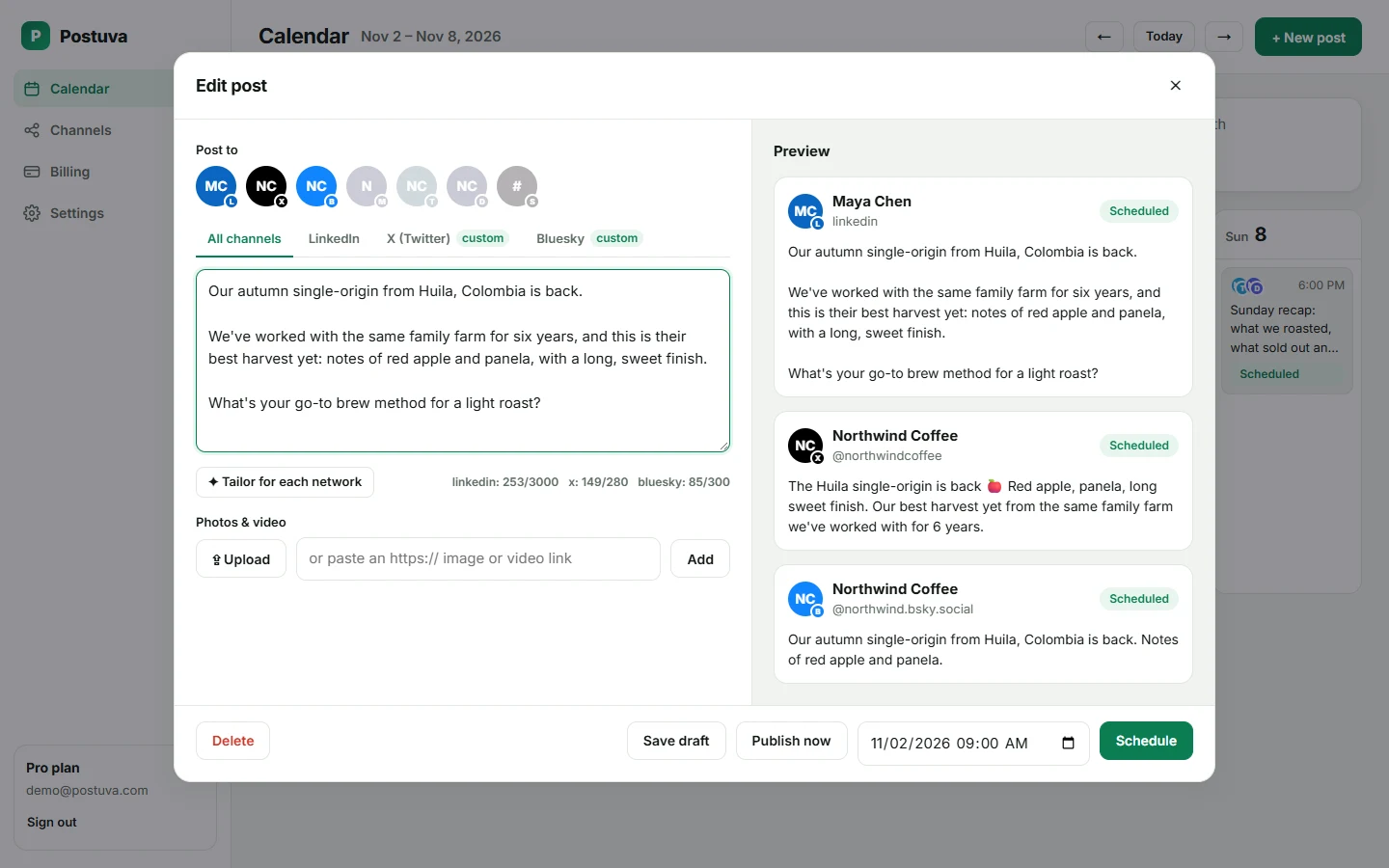
- Write or tailor the caption. Write the caption yourself or press Tailor for each network to have AI write an Instagram version: a strong first line, line breaks and a few relevant hashtags at the end.
- Schedule. Pick the date and time and press Schedule. The post publishes at that minute and the calendar links to it on Instagram.
Which Instagram formats can I schedule?
Single photo posts: JPEG images, ideally 1080 × 1350 pixels (4:5 portrait), which takes up the most room in the feed. Square 1:1 and landscape 1.91:1 also work.
Carousels: 2 to 10 images in one post. Carousels tend to get more time spent per post than single images because people swipe through them, which makes them a good format for tips, step-by-step guides and before-and-after shots.
Reels: one vertical MP4 video (9:16, 1080 × 1920). Reels from scheduled posts are shared to the feed just like Reels posted from the app. Keep the first two seconds strong; that's where most viewers decide whether to keep watching.
Stories and Instagram's music library aren't available through the official publishing API, so no scheduler can post those automatically. Plan them on the calendar as a reminder and post them from your phone.
How long should an Instagram caption be?
Instagram allows 2,200 characters, but the feed only shows about the first 125 before cutting off with “more”. Put the hook in that first line: a question, a surprising number or the single most useful point. Use the rest for context, a story or steps, with short paragraphs separated by line breaks.
Instagram allows up to 30 hashtags, but three to five specific ones usually work better than thirty generic ones. Postuva's counter shows characters and hashtags as you type, and refuses to schedule a caption Instagram would reject, so you find out while writing rather than at publishing time.
What is the best time to post on Instagram?
There is no single best time. Instagram ranks posts by how people respond, so posting when your own followers are online matters more than any industry average. Instagram's Insights (Professional dashboard → Total followers → Most active times) shows the hours and days your followers are active.
A practical approach: pick two time slots from Insights, schedule similar posts in each for two weeks, then compare reach. Three to four feed posts a week is a sustainable starting point for most small brands; consistency beats volume.
View as table
| Network | Posts a week |
|---|---|
| 2–3 | |
| 3–4 | |
| TikTok | 3–5 |
| 3–5 | |
| Bluesky | 5–7 |
| X (Twitter) | 7–21 |
What happens if a scheduled Instagram post fails?
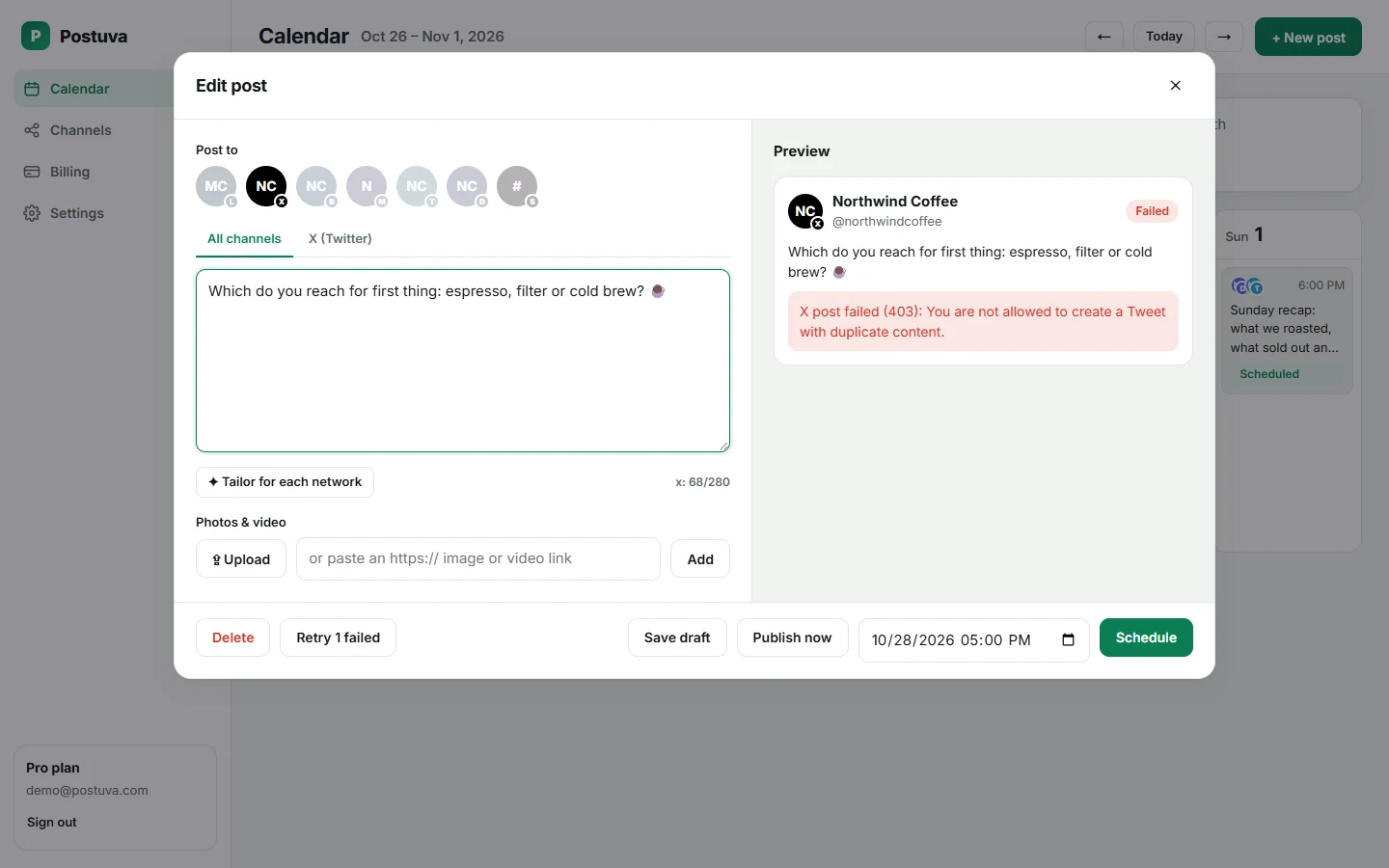
Networks refuse posts for a handful of reasons: an expired connection, media in a format they don't accept, a caption over the limit or a temporary outage on their side. Postuva handles each one differently. Temporary errors (timeouts, rate limits, the network being down) are retried automatically after one minute, five minutes and thirty minutes. Permanent errors are not retried, because sending the same broken request again only wastes time.
When a post can't be published, it turns red on the calendar and shows Instagram's exact error message, not a vague “something went wrong”. If Instagram's access has expired, the channel shows a Reconnect button; one click in the pop-up renews it. Fix the cause, press Retry and the post goes out straight away.
Is it safe to connect Instagram to Postuva?
Yes. Postuva connects through Instagram's official sign-in, which opens in a small pop-up window on Instagram's own website. You approve exactly what Postuva may do there; Postuva never sees your password. The access token Instagram returns is encrypted with AES-256-GCM before it's stored, and it's only decrypted at the moment a post is published.
You can disconnect at any time, either from Postuva's Channels page or from Instagram's settings (Apps and websites). Disconnecting deletes the stored token immediately. Posts already published stay on Instagram; scheduled posts for that channel stop.
How much does it cost to schedule Instagram posts?
The free plan includes 3 channels, 30 scheduled posts a month and 20 AI rewrites, with no time limit and no card. That's enough to schedule Instagram alongside two other networks and see whether planning ahead works for you.
Paid plans start at $15 a month (Creator: 10 channels, unlimited posts, 300 AI rewrites). Pro at $29 adds approvals, extra workspaces and team members, and Agency at $79 covers 150 channels for client work. Yearly billing gives you two months free. Every plan includes every network, so Instagram never costs extra.
Frequently asked questions
Can I schedule Instagram posts for free?
Yes. Postuva's free plan includes 3 channels and 30 scheduled posts a month, so you can schedule Instagram posts free alongside two other networks.
Does Postuva post automatically, or send me a reminder?
It posts automatically. Feed photos, carousels and Reels are published through Instagram's API at the scheduled minute; you don't need your phone.
Can I schedule Instagram Stories?
Not automatically. Instagram's publishing API doesn't support Stories for scheduling tools, so Postuva can only remind you to post them.
Why can't I connect my personal Instagram account?
Instagram only allows third-party publishing to professional accounts. Switching to a free Creator or Business account takes a minute in Instagram's settings.
Can I post to Instagram and Facebook at the same time?
Yes. Connect both, select both channels in the composer and Postuva publishes each version at the same time, with captions tailored to each network.