A free social media scheduler with no trial that runs out
Postuva's free plan lets you schedule social media posts to 3 channels, with up to 30 scheduled posts and 20 AI rewrites a month. It has no time limit and doesn't need a card. Networks include X, LinkedIn, Facebook, Instagram, Threads, TikTok, YouTube, Pinterest, Reddit, Tumblr, Bluesky, Mastodon, Nostr, Lemmy, Telegram, Discord, Slack, WordPress, DEV, Hashnode, Google Business Profile and Listmonk.
- Channels
- 3
- Scheduled posts
- 30 a month
- AI rewrites
- 20 a month
- Time limit
- None
- Card required
- No
What's included in the free plan?
- The full calendar and composer
- Scheduling and Publish now
- Automatic retries and failure alerts
- AI tailoring (20 credits a month)
- Image posts
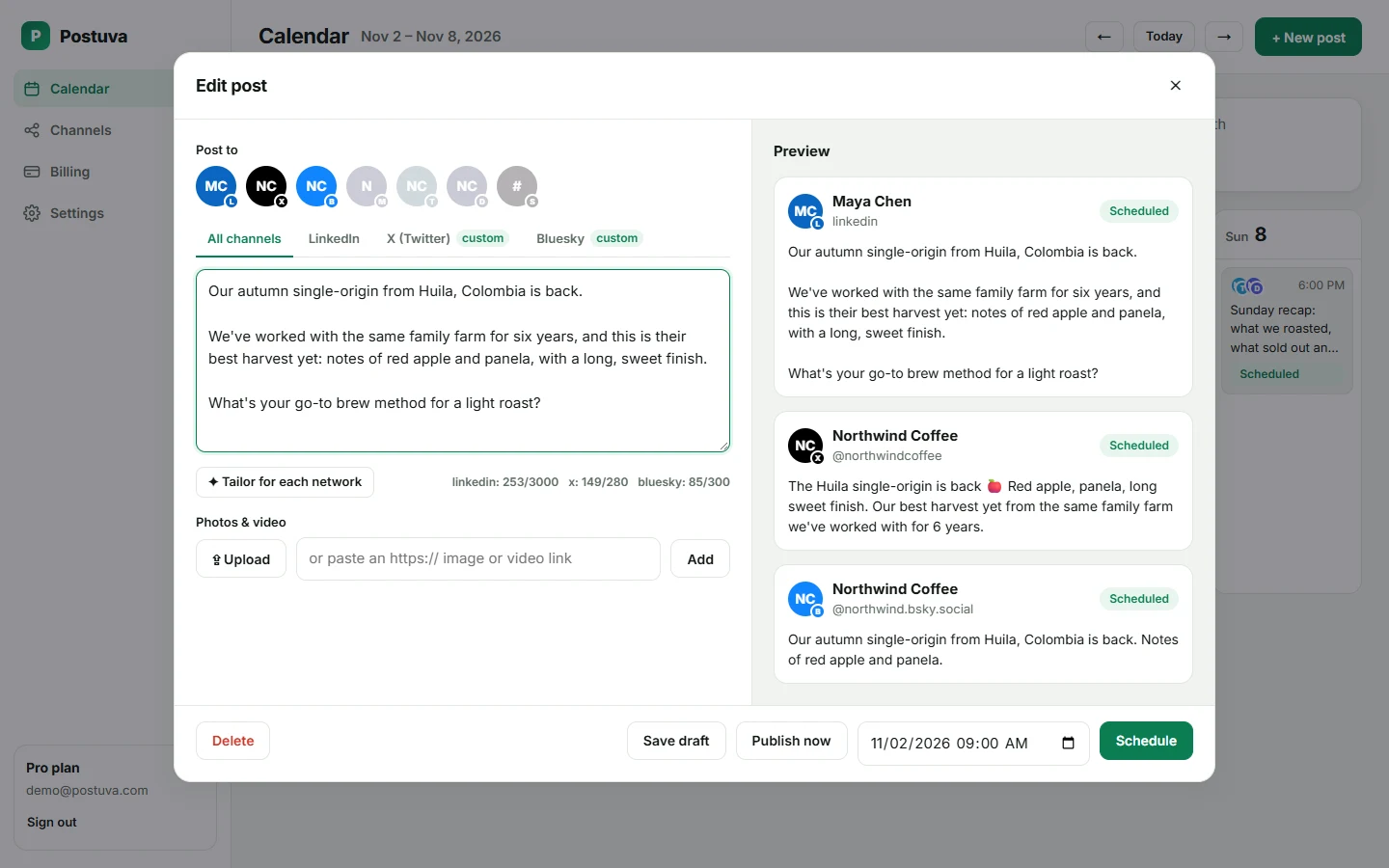
What can you do with 3 channels and 30 posts?
Thirty scheduled posts a month is about seven a week, enough for a consistent presence on one network with daily posts, or two to three networks posting a few times a week. Three channels covers the most common setups: LinkedIn plus X plus Bluesky for a professional, or LinkedIn plus a Telegram channel plus Discord for a community-led business.
A post that goes to three channels counts as three scheduled posts, because three posts are published. Drafts don't count until you schedule them, and deleting a scheduled post gives the credit back.
When should I upgrade?
| You need… | Plan | Price |
|---|---|---|
| More than 3 channels or 30 posts a month | Creator | $15/month |
| Teammates and several brands | Pro | $29/month |
| Many clients | Agency | $79/month |
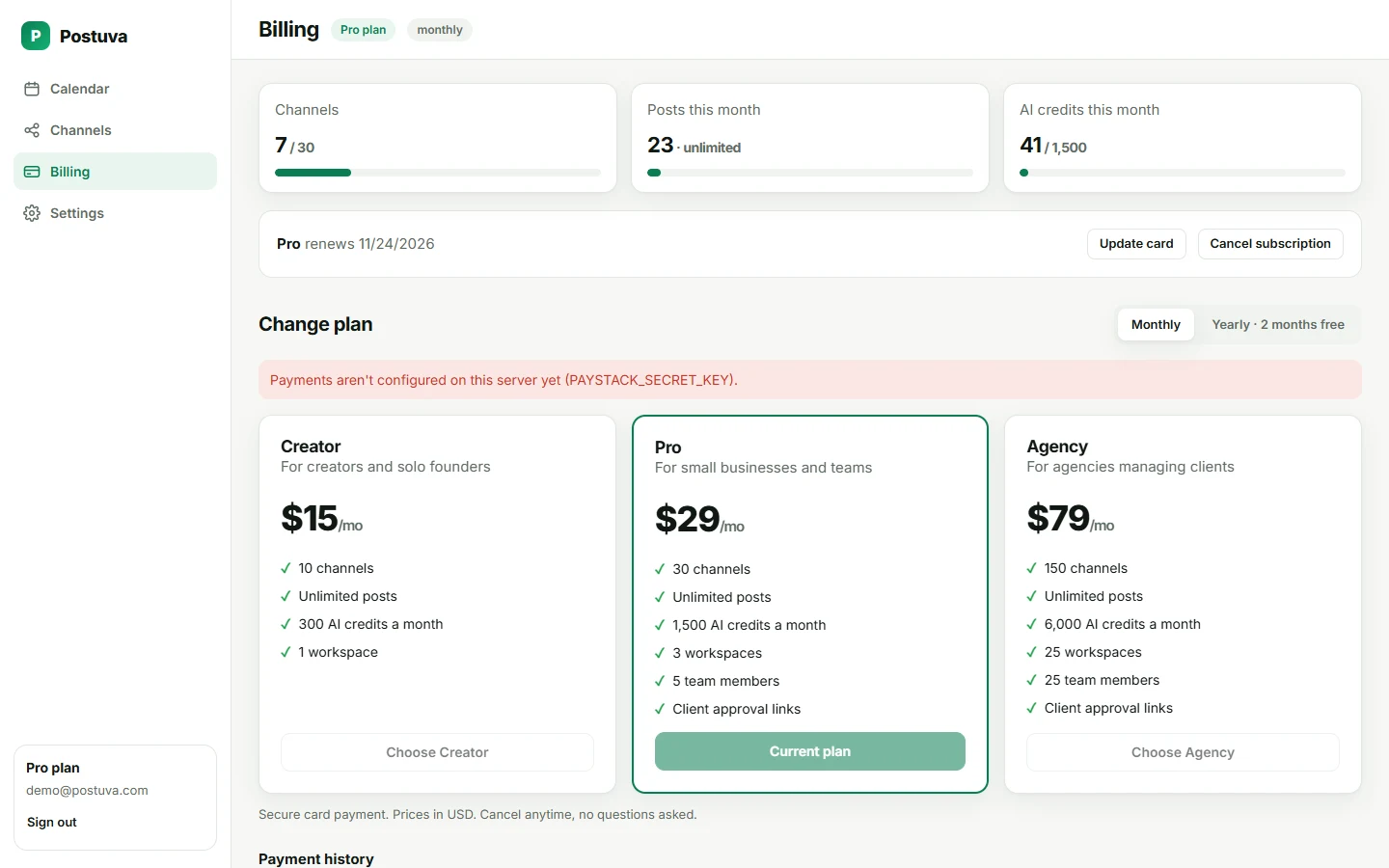
See what you get
This is the full product, not a cut-down version. The recording below is the same composer free users get.
Free social media schedulers: what to watch out for
- Trials disguised as free plans. Check whether the free plan ends after 7 or 14 days.
- Watermarks or “sent via” tags added to your posts.
- No failure alerts: on some free tiers, failed posts disappear silently.
- Data access: check which permissions the tool asks for when you connect accounts.
Upgrading is optional and instant
When you outgrow the free plan, upgrading takes a minute: choose a plan on the Billing page, pay by card, and new limits apply as soon as payment is confirmed. Your channels, posts and calendar stay exactly as they are. If you cancel later, you keep the paid plan until the end of the period, then return to the free plan without losing anything.
Who is the free plan for?
- Individuals building a personal brand on LinkedIn plus one or two other networks.
- Side projects and small communities posting a few updates a week to X, Bluesky or a Discord server.
- Small businesses testing social media before committing to a paid tool.
- Teams evaluating Postuva with real accounts before upgrading.
Worked example: a free-plan month
A freelance designer connects LinkedIn, X and Bluesky (3 channels). Each week they post two ideas: a project story on Tuesday and a design tip on Thursday, each to all three networks. That's 6 scheduled posts a week, 24 a month, within the 30-post limit. They use AI tailoring for each idea, 8 credits a month of the 20 included. Total cost: nothing.
Free plan limits at a glance
Most people stay on the free plan for weeks or months while they build a rhythm, then upgrade when they add networks or post daily.
| Free | Creator ($15/month) | |
|---|---|---|
| Channels | 3 | 10 |
| Scheduled posts a month | 30 | Unlimited |
| AI credits a month | 20 | 300 |
| Workspaces | 1 | 1 |
| Calendar, composer, retries | Yes | Yes |
| Time limit | None | Monthly or yearly |
How to get the most from the free plan
- Choose your three channels carefully. Pick the networks where your audience is most active rather than the ones that feel obligatory.
- Post fewer, better ideas. Two strong ideas a week on three networks fits the 30-post limit and builds a steady presence.
- Use AI on your best ideas. Save AI credits for posts that go to several networks, where tailoring saves the most time.
- Use drafts as a backlog. Drafts don't count toward the limit; keep ideas there until the right week.
Why we offer a permanent free plan
Choosing a social media tool is easier when you can use it with your real accounts for as long as you need. A permanent free plan lets you build a habit, see posts go out reliably and try AI tailoring before spending anything. When Postuva becomes part of your routine and you need more channels or posts, upgrading is one click. If it doesn't fit, you've lost nothing.
Frequently asked questions
Is it really free forever?
Yes. The free plan has no expiry date.
Do free posts show an ad or watermark?
No. Posts are published exactly as you wrote them.
What happens when I reach 30 posts in a month?
You can still save drafts; scheduling resumes when the next month starts, or immediately if you upgrade.
Does the free plan include all networks?
Yes, any 3 of the supported networks.
Is there a free trial of paid plans?
There's no trial. The free plan is permanent, and paid plans can be cancelled anytime.
Do I need a credit card to sign up?
No. Sign up with an email and password; a card is only needed if you choose a paid plan.
Can I use the free plan for a business?
Yes. The free plan can be used for personal and business accounts.
Is my data safe on the free plan?
Yes. Free and paid plans use the same encryption and security for connected accounts.
Can I switch which 3 channels I use?
Yes. Remove a channel and connect another at any time.