The social media scheduler for small businesses
Small businesses need to post consistently without spending every day on social media. Postuva lets you plan a week or a month of posts in one sitting, have AI adapt each idea to LinkedIn, X, Bluesky and your community channels, and trust that everything goes out on time. You can start free with 3 channels.
- Time to set up
- Under 5 minutes
- Free plan
- 3 channels, 30 posts a month
- Best paid plan for most small businesses
- Creator, $15/month, 10 channels
Why should a small business schedule social media posts?
- Consistency: regular posting keeps you in front of customers, and scheduling makes it happen even in busy weeks.
- Time: batching a month of posts into one session takes far less time than posting every day.
- Quality: you write when you have ideas, not at 8am because a post is due.
What's the biggest social media mistake small businesses make?
Posting in bursts. A busy owner posts every day for a week after a marketing course, then nothing for a month when the shop gets busy. Followers forget you, and each network's algorithm treats you as inactive. A modest, steady rhythm (two or three good posts a week, every week) beats an ambitious plan that collapses.
The fix isn't more willpower; it's batching. Writing a month of posts in one focused hour, then letting them publish on their own, removes the daily decision of “what should I post today?”. That's the job a scheduler does.
A one-hour monthly social media routine
- List 8–12 ideas. Mix promotions, tips, behind-the-scenes moments, customer stories and questions.
- Write each idea once. Write it the way you'd say it to a customer.
- Tailor with AI. Click Tailor for each network to get a LinkedIn version, a short X version and a friendly announcement for your Telegram or Discord community.
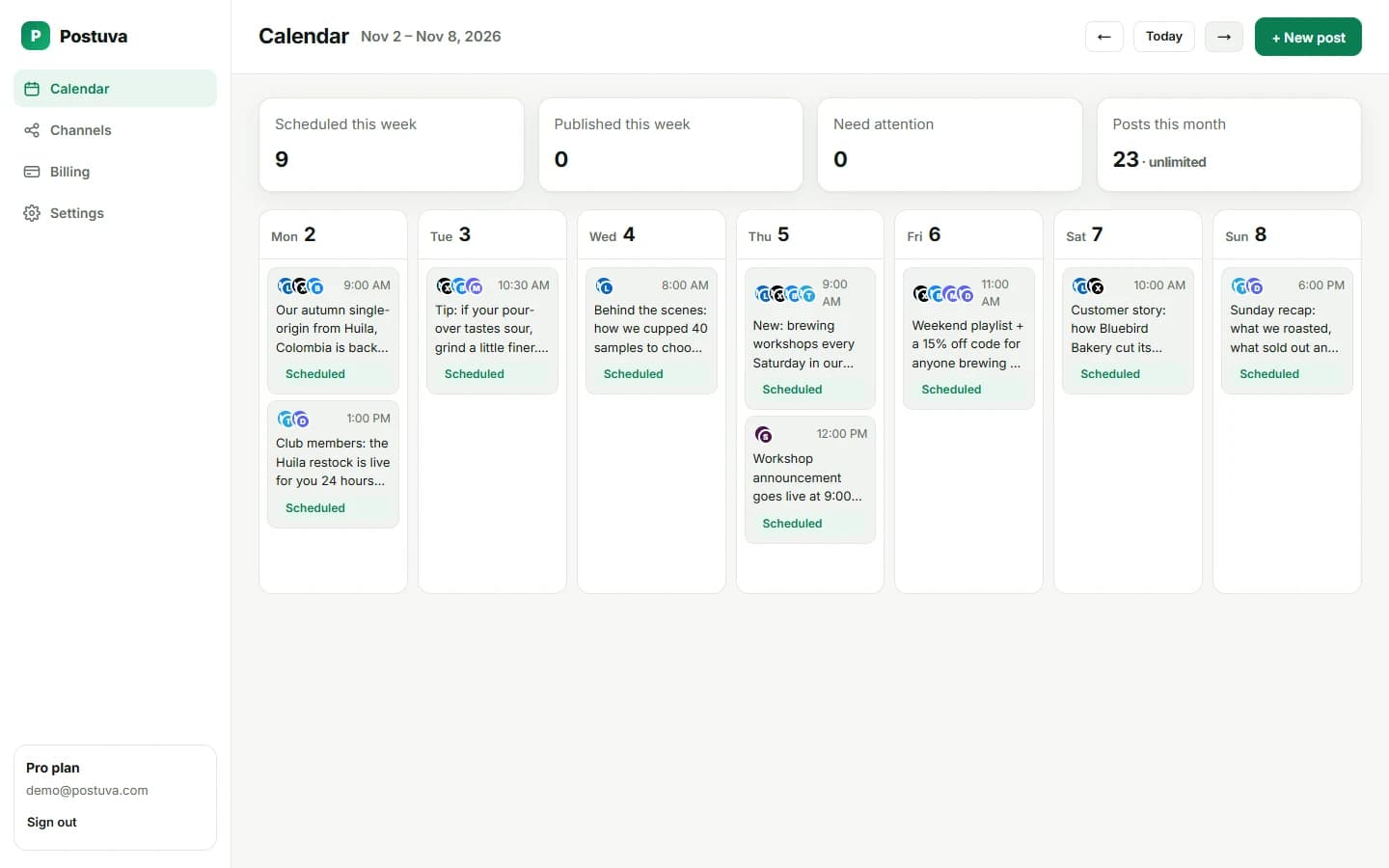
- Spread them across the calendar. Two or three posts a week is plenty for most small businesses.
- Check once a week. Glance at the calendar for anything marked as needing attention.
What should a small business post on social media?
| Post type | Example | How often |
|---|---|---|
| Tip or how-to | “3 ways to make your coffee last longer” | Weekly |
| Behind the scenes | Packing orders, the team, the workshop | Weekly |
| Customer story | A review or before-and-after | Every two weeks |
| Offer or news | New product, opening hours, event | When relevant |
| Question | “Which flavour should we bring back?” | Every two weeks |
Which networks should you start with?
Start with one or two networks you can keep up with, not every network at once. Adding a network is easy later: connect it and select it on your existing posts. Postuva supports LinkedIn, X, Bluesky, Mastodon, Telegram, Discord and Slack today, with Facebook, Instagram and TikTok next.
| Business type | Start with | Add later |
|---|---|---|
| B2B services (consultants, agencies, SaaS) | X, Bluesky | |
| Local shops, cafés, salons | Instagram, Facebook | Telegram channel for regulars |
| Online stores | Instagram, TikTok | Telegram or Discord for loyal customers |
| Tech and developer products | X, Bluesky, LinkedIn | Discord community, Mastodon |
| Trades and home services | Facebook, Google Business Profile |
How do you write posts when you're not a writer?
Write the way you'd explain it to a customer at the counter: one idea, plain words, a reason to care. Don't worry about each network's style. That's what AI tailoring is for. Write one rough version, click Tailor for each network, and you get a polished LinkedIn post, a short X post and versions for your other channels, all based on what you wrote. You keep the final say on every word.
- LinkedInStory + question, ~1,200 chars
- X (Twitter)Punchy hook, ≤ 280 chars
- BlueskyConversational, ≤ 300 chars
- MastodonFriendly, alt text on images
- TelegramAnnouncement + photo album
- DiscordCommunity update + @mention
How do you measure whether social media is working?
- Track one goal. Website visits, enquiries, bookings or orders, not likes.
- Use links you can measure. Add UTM tags or a dedicated landing page so you know which visits came from social.
- Compare monthly, not daily. Social media builds slowly; look at trends over months.
- Keep what works. If tips get twice the response of promotions, post more tips.
Frequently asked questions
Which social networks should a small business use?
Pick the one or two where your customers already are. B2B services usually do best on LinkedIn; local and consumer brands on Instagram and Facebook; tech-savvy audiences on X and Bluesky.
How much does Postuva cost for a small business?
It's free for 3 channels. The Creator plan is $15 a month for 10 channels with unlimited posts.
How much time does social media take with a scheduler?
Most small businesses plan a month of posts in about an hour, plus a few minutes a day replying to comments.
Do I need professional photos?
No. Clear, well-lit phone photos of your real products, team and place usually perform better than stock images.
What's the best free social media scheduler for a small business?
Look for a permanent free plan that covers your networks and enough posts for a steady rhythm. Postuva's free plan includes 3 channels, 30 scheduled posts and 20 AI rewrites a month with no time limit and no card.