Schedule Mastodon posts on any server
Postuva schedules posts to any Mastodon server, and to compatible servers such as GoToSocial and Akkoma. Create an access token in your server's Development settings, paste it in, then schedule posts of up to 500 characters with up to 4 images and alt text.
- Character limit
- 500 by default (some servers allow more)
- Images
- Up to 4 per post, with alt text
- Connection
- Server URL + access token
- Native Mastodon scheduling
- Not in the default web interface
How do I schedule a toot on Mastodon?
- Create an application. On your server open Preferences → Development → New application. Tick read:accounts, write:statuses and write:media, then save.
- Copy the access token. Open the application you created and copy “Your access token”.
- Connect in Postuva. Go to Channels → Mastodon, enter your server (for example mastodon.social) and paste the token.
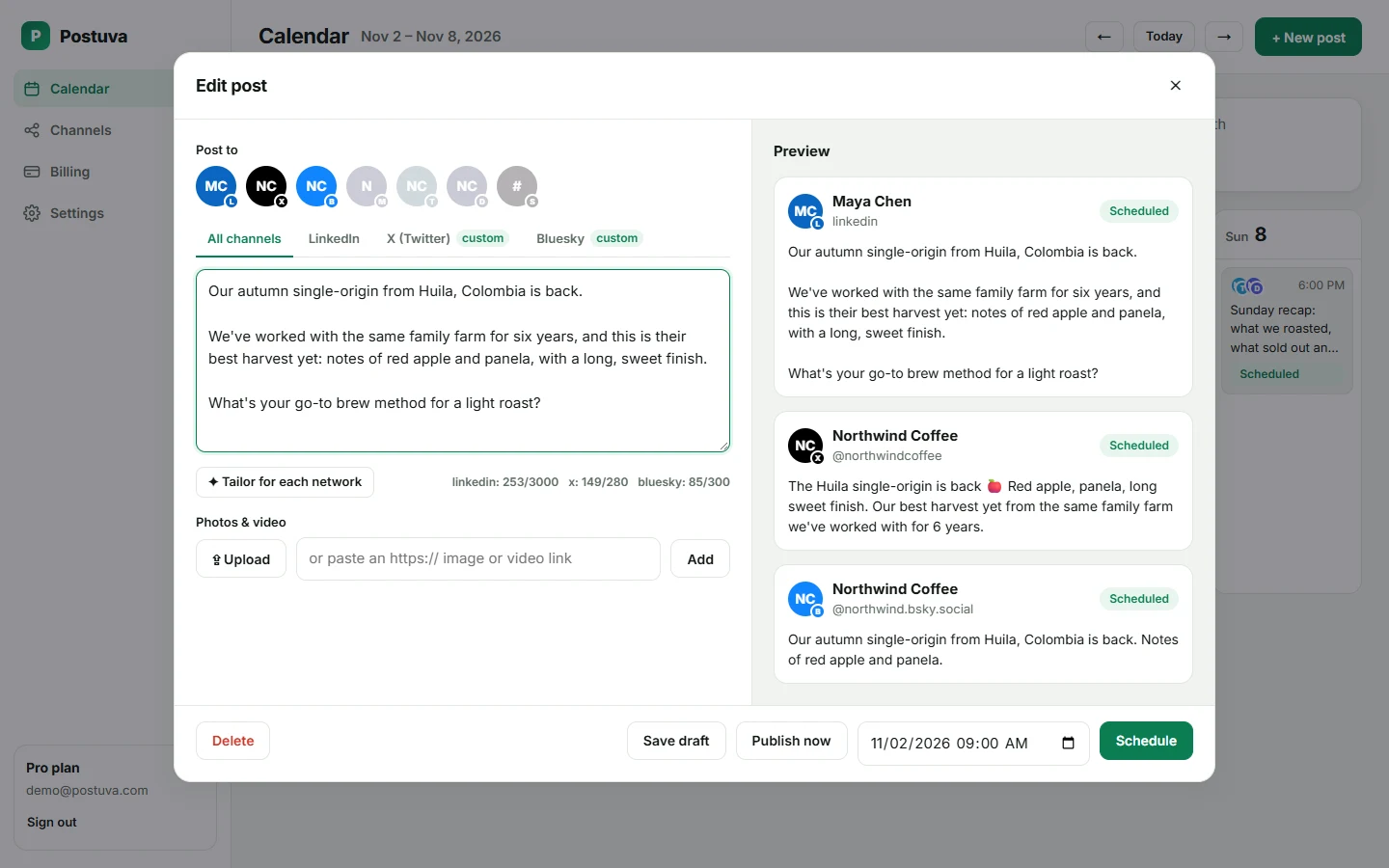
- Schedule. Write the post, add images, choose a time and press Schedule.
Why schedule posts on Mastodon?
Mastodon is made of thousands of independent servers that talk to each other. Your followers may live on different servers in different timezones, and the home timeline is chronological, so a post only reaches people who are scrolling when it appears. Scheduling lets you post when your followers are actually online, not just when you happen to be at your desk.
It also helps you post regularly. Mastodon communities value people who contribute steadily rather than bursts of promotion, and a weekly schedule makes steady easy.
Why write alt text for images on Mastodon?
Alt text describes an image for people using screen readers, and the Mastodon community strongly expects it. Postuva sends the description with each image so it appears on Mastodon exactly as if you'd added it in the app.
Can I schedule to Mastodon and Bluesky together?
Yes. Pick both channels on one post. Mastodon's 500-character limit and Bluesky's 300 are checked separately, so you'll see straight away if one version needs trimming.
Mastodon etiquette for scheduled posts
- Use hashtags in CamelCase (#SocialMedia, not #socialmedia) so screen readers pronounce them.
- Add alt text to every image. Many servers' users filter out posts without it.
- Don't over-automate. Mix scheduled posts with live replies; Mastodon users notice accounts that only broadcast.
- Respect your server's rules. Some servers limit promotional or automated content, so check the About page.
Which Mastodon-compatible servers are supported?
Postuva talks to the standard Mastodon API, which is implemented by Mastodon itself and by compatible server software such as GoToSocial, Pleroma and Akkoma. If your server lets you create applications and access tokens in its settings, it will work. Character limits vary by server; the composer uses Mastodon's default of 500, which is safe everywhere.
View as table
| Network | Characters |
|---|---|
| X (Twitter) | 280 |
| Bluesky | 300 |
| Threads | 500 |
| Mastodon | 500 |
| 600 | |
| Google Business Profile | 1,500 |
| Discord | 2,000 |
| 2,200 | |
| TikTok | 2,200 |
| 3,000 | |
| Telegram | 4,096 |
Cross-posting from X or Bluesky to Mastodon
If you already post on X or Bluesky, Mastodon is an easy third network: the same short update usually fits within 500 characters with room to spare. Select all three channels on one post. If you want a different tone for Mastodon, which often means fewer hashtags and less promotion, open its tab and edit that version only.
Troubleshooting Mastodon connections
- “The access token is invalid”: the token was revoked or copied incompletely. Create a new one and reconnect.
- “This action is not allowed”: the application is missing a scope; tick write:statuses and write:media.
- Images fail to upload: the server may limit file size; use a smaller image.
- Post too long: some servers allow fewer than 500 characters; shorten the post.
- Server unreachable: check that the server address is correct and the server is online.
Worked example: announcing a release on Mastodon
“v2.4 is out 🎉 You can now share your calendar with your team. Thanks to everyone who asked for this. Release notes: example.com/changelog #OpenSource #ProductUpdate”
That's 167 characters: friendly, specific and credited to the community, with CamelCase hashtags that screen readers pronounce correctly. Schedule the same release for X and Bluesky in the same post and adjust the tone in their tabs if you like.
When is the best time to post on Mastodon?
Mastodon's home timeline is chronological, so a post is seen mostly by people scrolling in the hour or two after it appears. Look at when your own posts get replies and boosts; that's when your followers are online. Many communities are most active in their evening, so if your followers are spread across Europe and the Americas, late afternoon UTC often reaches both.
Scheduling lets you test this properly. Post similar content at two different times over two weeks and compare boosts and replies. Then move your regular schedule to the better slot.
Frequently asked questions
Does it work with my server?
Any server that implements the Mastodon API works, including GoToSocial, Pleroma and Akkoma.
Is my access token safe?
It's encrypted with AES-256 before it's stored. You can revoke it from your server's Development settings at any time.
Can I post content warnings?
Content warnings are on the roadmap.
Why use an access token instead of signing in?
Mastodon servers are independent, so a token created on your own server is the most reliable and private way to connect. It can only do what you tick: read your account and publish posts and media.
Can I schedule to accounts on different servers?
Yes. Each account is its own channel with its own token.
Can I schedule Mastodon posts for free?
Yes, Mastodon is included in Postuva's free plan.
Does Mastodon have a built-in scheduler?
The Mastodon API supports scheduled posts, but the default web interface doesn't offer a way to schedule, so most people use an app or a scheduler.
What's the Mastodon character limit?
500 characters by default. Some servers raise it, but 500 is safe everywhere.