Social media management for agencies, without per-seat pricing
Postuva gives agencies a separate workspace for each client, each with its own channels and calendar. The Agency plan includes 25 workspaces, 150 channels, 25 team members and 6,000 AI credits a month for a flat $79, with no per-seat fees.
- Workspaces
- 25 on the Agency plan
- Channels
- 150
- Team members
- 25
- Price
- $79/month or $758/year
What does an agency need from a social media scheduler?
- Clean separation between clients, so no post goes to the wrong account.
- A clear weekly view per client for planning and reporting.
- Fast drafting: one brief turned into posts for every network.
- Early warning when a client's account access breaks.
- Pricing that doesn't grow with every teammate you add.
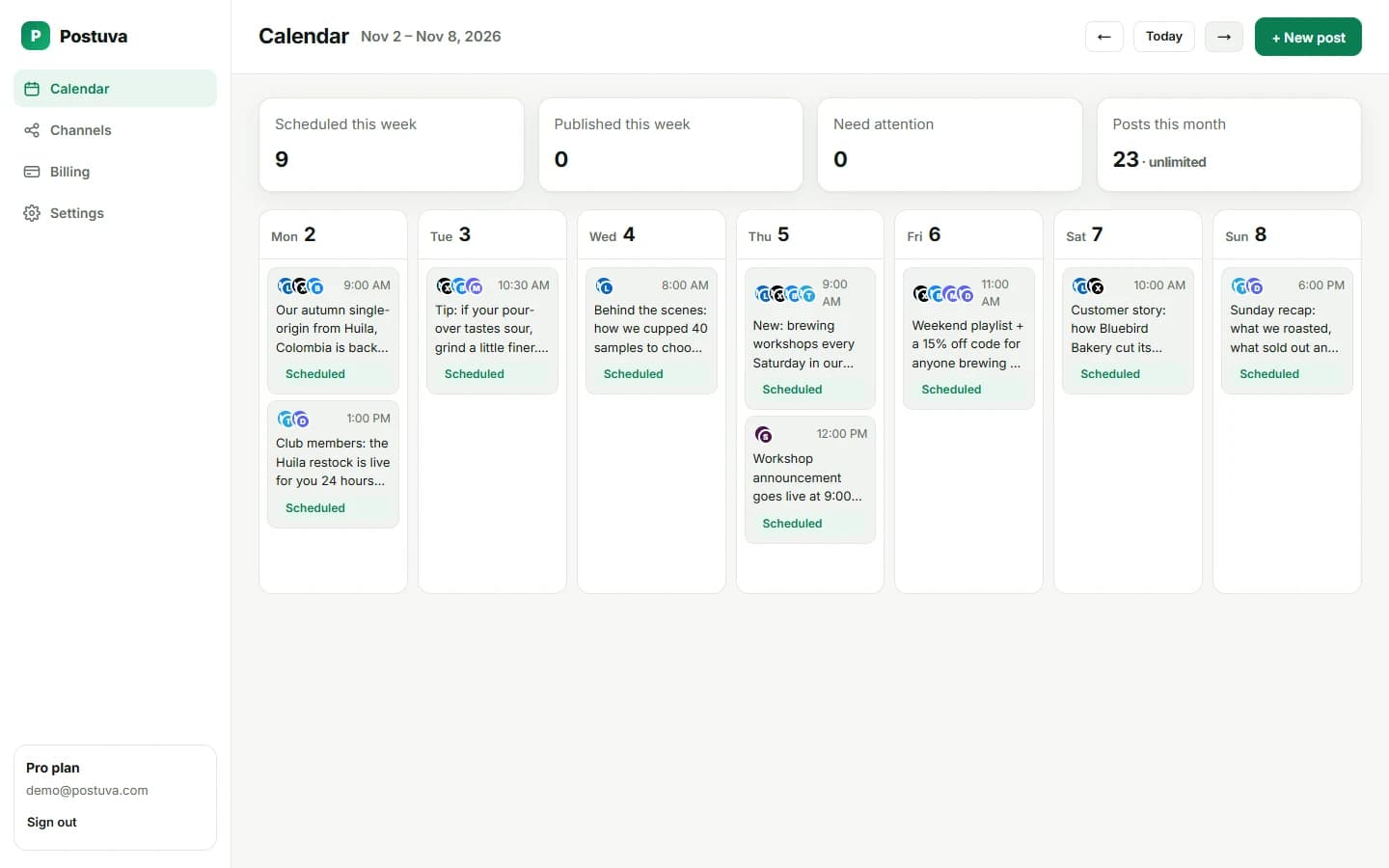
A weekly agency workflow in Postuva
- Monday: plan per client. Switch to each client's workspace and review last week's published posts and anything flagged.
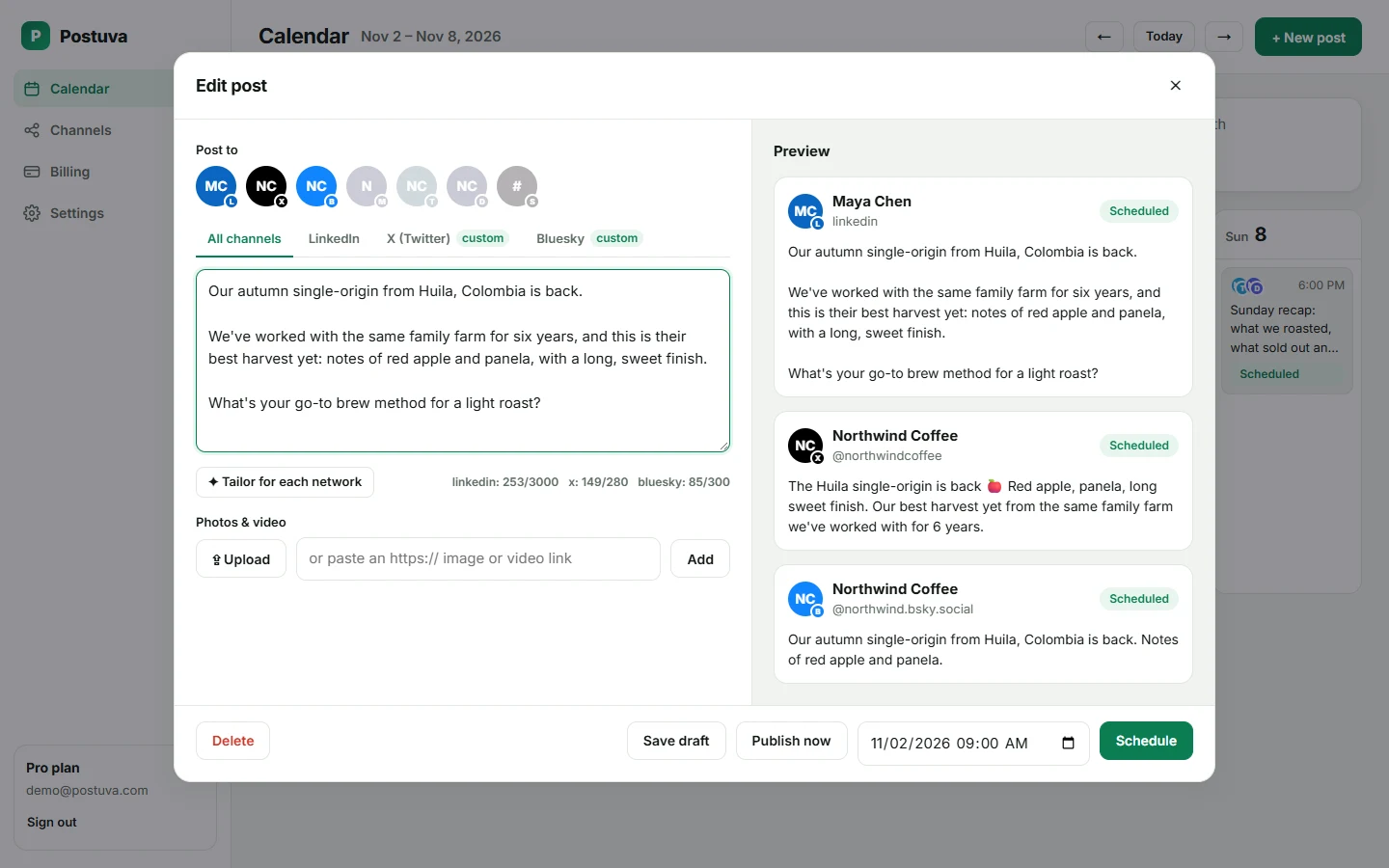
- Tuesday: draft from briefs. Turn each brief into one core message, then tailor it for that client's networks with AI.
- Wednesday: review. Senior staff review drafts in the composer's per-network tabs and adjust tone.
- Thursday: schedule. Schedule the following week. Every post appears on the client's calendar.
- Friday: report. Open published posts, which link straight to the live versions on each network, and pull results into your report.
How do workspaces keep clients separate?
Each workspace has its own channels, calendar and posts. Switching client is one click in the sidebar, and a post can only target channels in the workspace you're in, so it's impossible to schedule a client's post to another client's account.
How does AI speed up client work?
Write the core message from the client's brief once. Tailor for each network produces a LinkedIn post, a 280-character X post and versions for the client's other channels, keeping the facts you wrote and never inventing new ones. Your team edits instead of starting from a blank page.
How do agencies avoid posting to the wrong client account?
It's every agency's nightmare: a client's announcement published on another client's account. Postuva prevents it structurally rather than relying on care. Channels belong to a workspace, the composer only shows the current workspace's channels, and the server rejects any post that targets a channel outside it. Switching clients is an explicit action in the sidebar.
Handling client account access
- Ask clients to connect channels themselves where possible, or connect them together on a call. You never need their passwords for OAuth networks.
- For networks that use app passwords or webhooks (Bluesky, Discord, Slack), the client can create one just for your agency and revoke it at any time.
- When a client's access expires, the channel shows Reconnect and their scheduled posts wait. Nothing publishes to the wrong place.
- When a client leaves, remove their channels; their unpublished posts are deleted with them.
Pricing your social media service
With flat tool pricing, your software cost per client falls as you grow. On the Agency plan, the tool costs $79 a month whether you manage 5 clients or 25. That makes it easier to offer smaller retainers to local businesses profitably, or to include extra networks such as a client's Telegram channel or Discord community at no extra cost to you.
Onboarding a new client in 15 minutes
- Create a workspace. Name it after the client and set their timezone in Settings.
- Connect their channels. On a short call, the client signs in to LinkedIn and X; for Bluesky, Discord or Slack they create an app password or webhook just for you.
- Agree the rhythm. Decide posting days and themes with the client and block them out on the calendar.
- Schedule the first week. Draft from their brief, tailor per network, and schedule. The client sees exactly what will go out and when.
What to report to clients each month
- Posts published per network, with links to each live post
- The three best-performing posts and why they worked
- Anything that failed and how it was fixed
- Next month's themes and key dates
Agency FAQ: the practical bits
Who owns the channels? The client does. They sign in through each network's official flow or create an app password or webhook for you, and can revoke access at any time from their own settings. What happens when a client pauses? Leave their workspace as it is; scheduled posts stay in the calendar and nothing publishes once you delete them. How do you hand a client back? Remove their channels, which also deletes their unpublished posts, and their accounts stay exactly as they were.
Frequently asked questions
Can clients approve posts?
Client approval links are part of the Pro and Agency plans and roll out next.
Do I pay per client?
No. The Agency plan includes 25 workspaces for a flat price.
Can each client have different team members?
Teammates are part of the plan and can be invited per workspace as the team features roll out.
Is there a white-label option?
Not yet. Tell us if you need it; agency feedback shapes the roadmap.
What's the best social media management tool for agencies?
One that keeps clients strictly separate, makes multi-network writing fast and doesn't charge per seat. Postuva's Agency plan includes 25 client workspaces, 150 channels and 25 teammates for $79 a month.
How many clients can I manage on the Agency plan?
Up to 25 client workspaces with 150 channels in total.
Can I move a client to their own account later?
Yes. The client can connect their channels to their own Postuva account; scheduled posts can be recreated there in minutes.