Guides
Step-by-step answers to the questions people ask most about scheduling social media.
How to schedule Instagram posts
Schedule Instagram posts in the app or with Meta Business Suite, step by step.
Read more →How to schedule Facebook posts
Schedule posts on a Facebook Page with Meta Business Suite, step by step.
Read more →How to schedule TikTok posts
Schedule TikTok videos from TikTok Studio on desktop, step by step.
Read more →How to schedule LinkedIn posts
Use LinkedIn's built-in scheduler, or schedule LinkedIn with other networks at once.
Read more →How to schedule tweets
Schedule posts on X from the web composer, or alongside LinkedIn and Bluesky.
Read more →Best tool to schedule social media posts
How to choose a social media scheduler: the criteria that actually matter, compared.
Read more →Social media content calendar template
A free weekly template with content pillars, posting rhythm and examples.
Read more →How often to post on social media
Realistic posting frequency by network, and why consistency beats volume.
Read more →How these guides are written
Each guide starts with a direct answer to the question in its title, followed by numbered steps you can follow with the app open. Then come the details that usually trip people up: account requirements, limits, troubleshooting and timing. Instructions for each network's own tools are written from that network's current interface at the time of writing and are updated as networks change their features. Where a cross-network scheduler helps, we say so; where the network's own tool is enough, we say that too.
Networks change their apps often. If a step no longer matches what you see, email support@postuva.com and we'll update the guide.
Native scheduling at a glance
Most networks now offer some built-in scheduling, but the options and limits vary a lot. Here's a summary of what each network offers natively, so you know when a built-in scheduler is enough and when a cross-network tool saves time.
| Network | Native scheduling | Where |
|---|---|---|
| Yes (professional accounts) | App → Advanced settings, or Meta Business Suite | |
| Facebook Pages | Yes | Meta Business Suite |
| TikTok | Yes, up to 10 days ahead | TikTok Studio on desktop |
| Yes, single posts | Clock icon in the post composer | |
| X (Twitter) | Yes, single posts | Calendar icon in the x.com composer |
| Bluesky | No | Use a scheduler |
| Mastodon | Not in the default web app | Use a scheduler |
| Telegram | Yes, per message | Long-press Send → Schedule message |
| Discord | No (messages) | Use a webhook scheduler |
| Slack | Yes, your own messages | Arrow next to Send |
When to use a cross-network scheduler
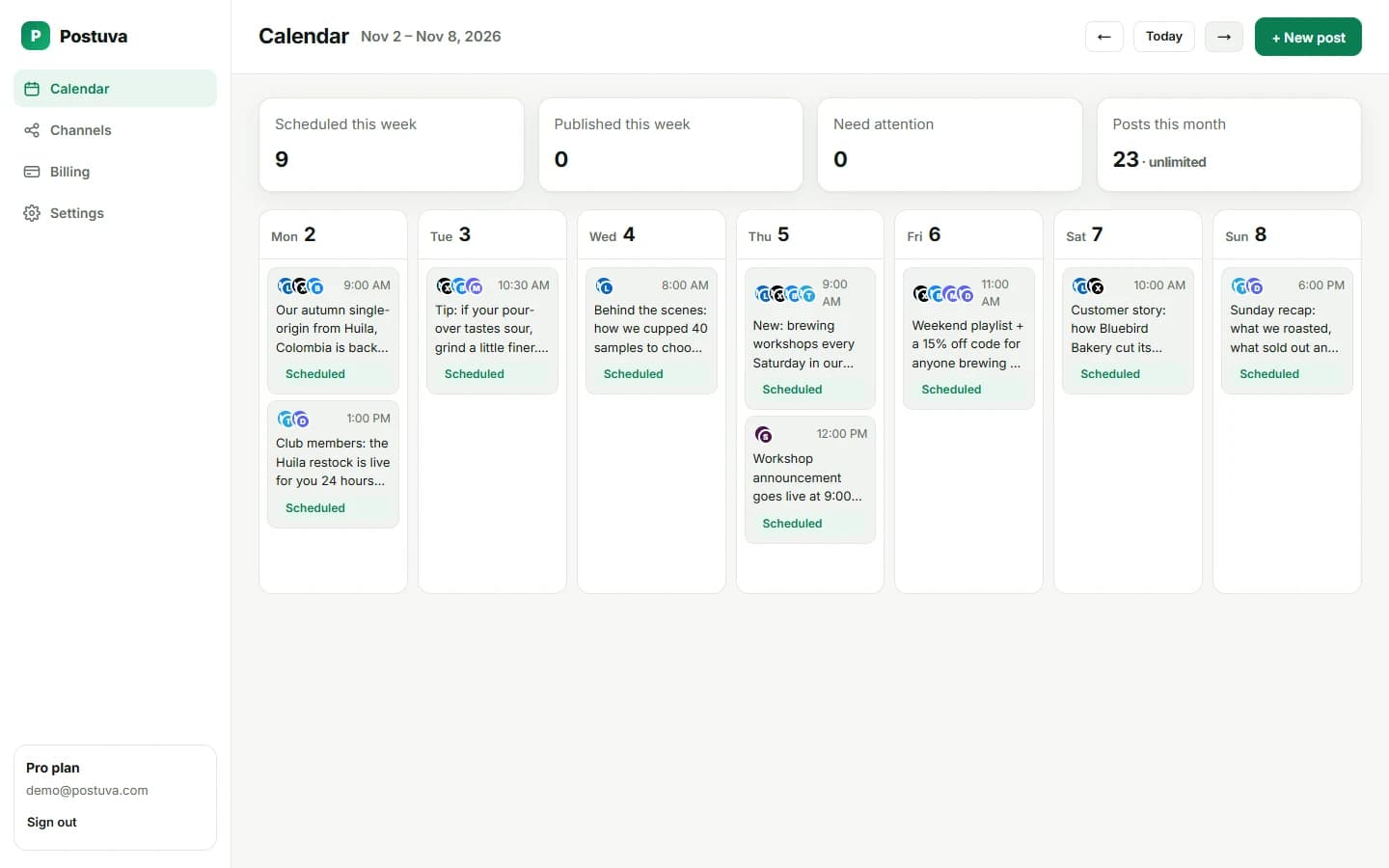
Built-in schedulers are fine for one network. As soon as the same news goes to two or more networks, a cross-network scheduler saves the copy-and-paste work, keeps launches in sync and gives you one calendar to check. It's also the only option for networks with no native scheduling, like Bluesky and Discord.
How often should you post?
Our posting-frequency guide explains these starting points network by network.
View as table
| Network | Posts a week |
|---|---|
| 2–3 | |
| 3–4 | |
| TikTok | 3–5 |
| 3–5 | |
| Bluesky | 5–7 |
| X (Twitter) | 7–21 |
Social media scheduling glossary
| Term | Meaning |
|---|---|
| Scheduler | A tool that publishes posts automatically at a time you choose |
| Channel | One connected account, such as a LinkedIn profile or a Telegram channel |
| Cross-posting | Publishing the same idea to several networks |
| Content pillar | A recurring theme you post about, such as tips or customer stories |
| Content calendar | A plan of what goes out where and when |
| OAuth | Official sign-in that grants a tool access without sharing your password |
| App password | A separate password a tool can use to post, revocable at any time |
| Webhook | A URL that lets a tool post into one specific channel |
| Engagement | Interactions with a post: likes, replies, reposts, clicks |
The questions people ask most
- Can you schedule posts on Instagram? Yes, with a professional account.
- How do you schedule posts on Facebook? With Meta Business Suite for Pages.
- Can you schedule TikToks? Yes, from TikTok Studio on desktop, up to 10 days ahead.
- How do you schedule LinkedIn posts? With the clock icon, or a scheduler for several networks.
- How do you schedule tweets? With the calendar icon in the x.com composer.
- How often should you post? As often as you can sustain consistently.
Scheduling tips that apply to every network
- Schedule in your audience's timezone, not yours.
- Write the first line last: it's the most important one.
- Keep a backlog of evergreen ideas for quiet weeks.
- Reply to comments in the first hour after a post goes live.
- Review results monthly and adjust your rhythm.
Start here if you're new to scheduling
If you've never scheduled social media posts before, start with the network you use most. Read its guide, schedule three posts for next week using the network's own tools, and see how it feels to have content go out while you're busy. Then read the content calendar template to plan a full month, and the posting frequency guide to set a realistic rhythm.
When you're posting the same ideas to two or more networks, that's the moment a cross-network scheduler pays off. Our guide to choosing the best tool explains what to look for, and the comparisons cover the most popular options.
Guides by network
For Meta's apps, start with Instagram and Facebook. For short video, read TikTok. For professional and real-time networks, read LinkedIn and X. For planning across all of them, use the content calendar template and the posting frequency guide.
Keeping guides up to date
Every guide shows the date it was last updated. Networks rename buttons and move settings regularly, so we review these guides whenever a network changes its scheduling features.