Schedule posts to your LinkedIn company page
To schedule LinkedIn company page posts with Postuva, connect LinkedIn Pages with LinkedIn's official sign-in and every page you administer becomes its own channel. Write the post (up to 3,000 characters), add up to 9 images, pick a time and press Schedule. Postuva publishes it as the page at that minute.
- Works with
- Pages where you're a Super admin or Content admin
- Character limit
- 3,000 per post
- Images
- Up to 9 per post
- Profile and page together
- Yes, in one step
- Price
- Free for 3 channels
How is scheduling a company page different from a personal profile?
On LinkedIn, people follow people more readily than they follow companies. Personal profile posts usually get far more reach, while the company page is where customers, candidates and investors go to check that the business is real and active. Most companies need both: the founder or team posting from their profiles and the page posting steadily.
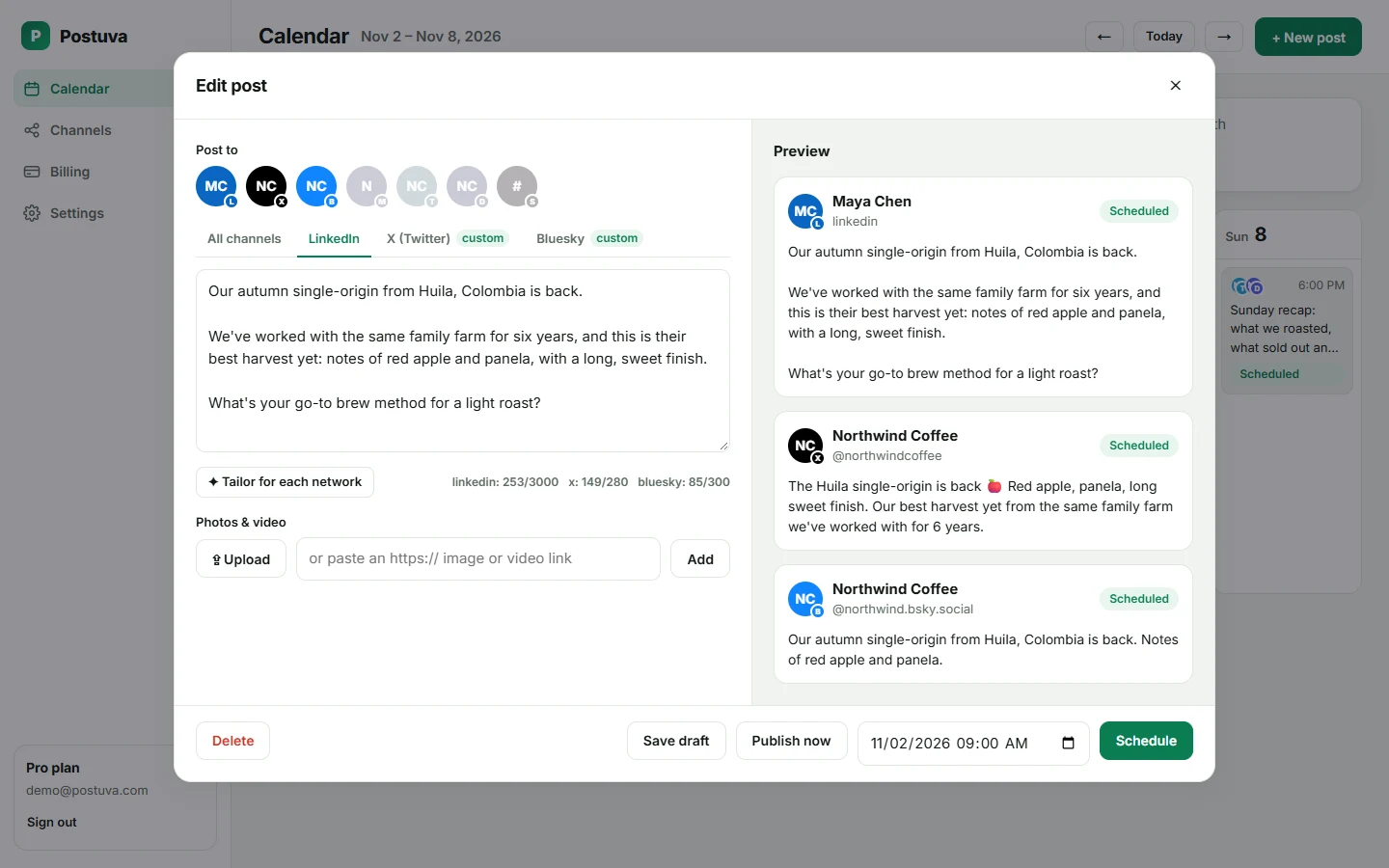
Postuva connects them separately. LinkedIn (personal) posts as you; LinkedIn Pages posts as the company. Select both in the composer and you get two versions of the same idea: a first-person story for your profile and a clear company update for the page.
| Personal profile | Company page | |
|---|---|---|
| Posts as | You | The company |
| Typical reach | Higher | Lower, but steady |
| Best for | Stories, opinions, lessons | Launches, hiring, proof of activity |
| Who can post | You | Page admins |
| Channel in Postuva | LinkedIn Pages |
How do I schedule posts to a LinkedIn page with Postuva?
- Check your page role. In LinkedIn, make sure you're a Super admin or Content admin of the page (Page admin view → Settings → Manage admins).
- Connect LinkedIn Pages. Open Channels and press Connect next to LinkedIn Pages. LinkedIn's sign-in opens in a pop-up; approve access and each page you administer appears as a channel.
- Write the post. Press New post, write up to 3,000 characters and add up to 9 images.
- Add your profile too (optional). Select your personal LinkedIn channel as well and press Tailor for each network to get a first-person version for your profile.
- Schedule. Pick the time and press Schedule. The page post publishes at that minute.
What should a company page post about?
The page is your company's public record. Post product launches and improvements, customer stories (with permission), job openings, events and behind-the-scenes photos of the team. Each post should make sense to someone who has never heard of you, since that's often who's looking at the page.
One to three page posts a week keeps the page visibly active without needing a full-time social media manager. Scheduling them on a Monday for the whole week, alongside your personal posts, takes about half an hour.
Can I manage several LinkedIn pages?
Yes. Agencies, groups of companies and founders with more than one business often administer several pages. Each page you administer appears as its own channel after one sign-in, so you can post to one, several or all of them, each with its own version of the text.
On Postuva's Pro and Agency plans you can also keep each client or brand in its own workspace, with its own channels, calendar and team members, so nobody posts to the wrong page.
What happens if a scheduled LinkedIn post fails?
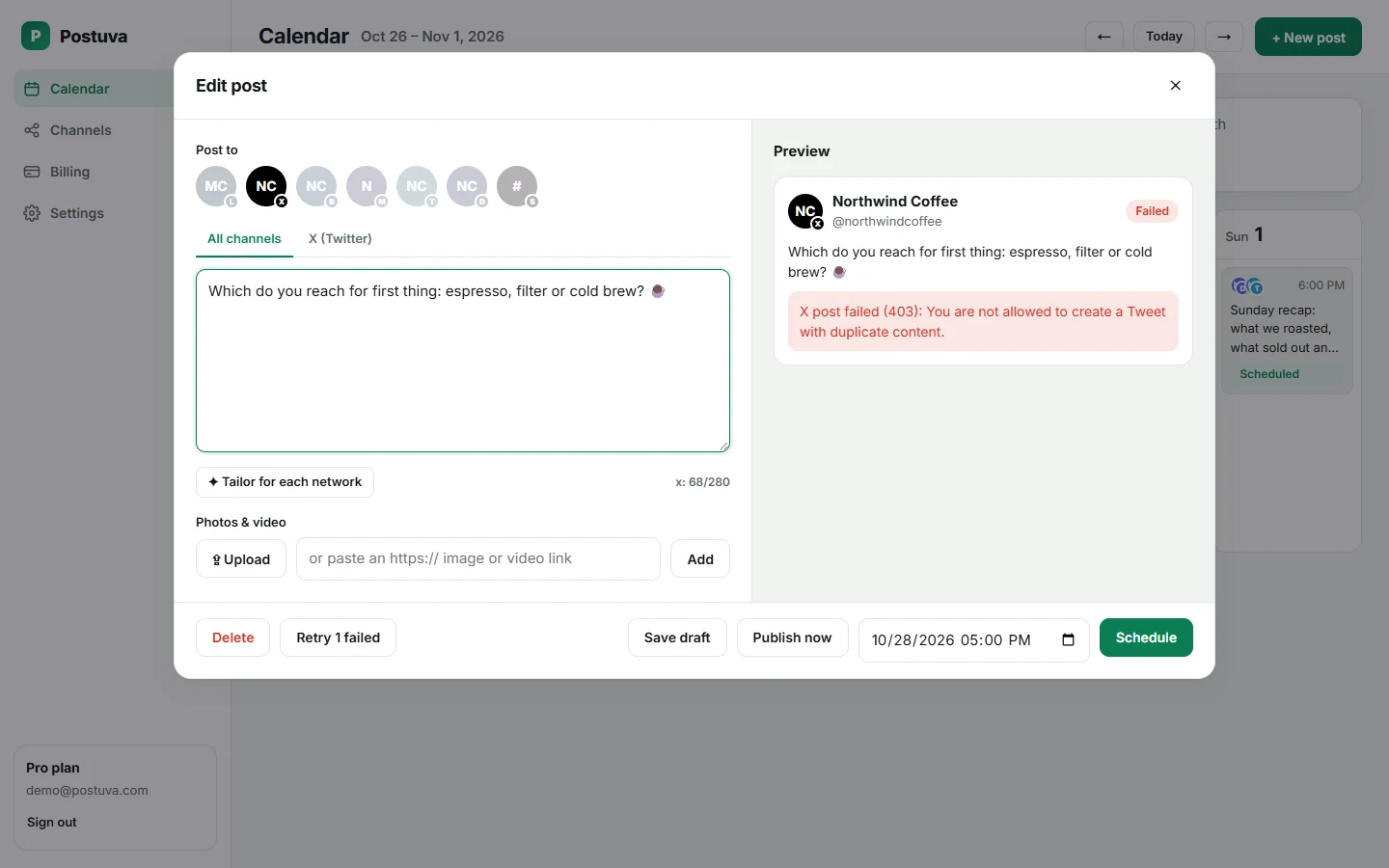
Networks refuse posts for a handful of reasons: an expired connection, media in a format they don't accept, a caption over the limit or a temporary outage on their side. Postuva handles each one differently. Temporary errors (timeouts, rate limits, the network being down) are retried automatically after one minute, five minutes and thirty minutes. Permanent errors are not retried, because sending the same broken request again only wastes time.
When a post can't be published, it turns red on the calendar and shows LinkedIn's exact error message, not a vague “something went wrong”. LinkedIn's access lasts about 60 days; when it's close to expiring the channel shows a Reconnect button. Fix the cause, press Retry and the post goes out straight away.
Is it safe to connect LinkedIn to Postuva?
Yes. Postuva connects through LinkedIn's official sign-in, which opens in a small pop-up window on LinkedIn's own website. You approve exactly what Postuva may do there; Postuva never sees your password. The access token LinkedIn returns is encrypted with AES-256-GCM before it's stored, and it's only decrypted at the moment a post is published.
You can disconnect at any time, either from Postuva's Channels page or from LinkedIn's Settings → Data privacy → Permitted services. Disconnecting deletes the stored token immediately. Posts already published stay on LinkedIn; scheduled posts for that channel stop.
How much does it cost to schedule LinkedIn posts?
The free plan includes 3 channels, 30 scheduled posts a month and 20 AI rewrites, with no time limit and no card. That's enough to schedule LinkedIn alongside two other networks and see whether planning ahead works for you.
Paid plans start at $15 a month (Creator: 10 channels, unlimited posts, 300 AI rewrites). Pro at $29 adds approvals, extra workspaces and team members, and Agency at $79 covers 150 channels for client work. Yearly billing gives you two months free. Every plan includes every network, so LinkedIn never costs extra.
Frequently asked questions
Can I schedule LinkedIn page posts for free?
Yes. The free plan includes 3 channels; each page you connect counts as one channel.
Do I need to be a page admin?
Yes, a Super admin or Content admin. LinkedIn doesn't let other roles post as the page.
Can I post to my profile and the page at the same time?
Yes. Connect both LinkedIn and LinkedIn Pages, select both channels and Postuva publishes each version at the scheduled time.
Can I schedule LinkedIn newsletters or documents?
Not yet. Postuva schedules text and image posts; newsletters and PDF carousels are on the roadmap.